
CLI — Funnels
Manage conversion funnels. Requires a
dft_ admin token.If you are building against the REST API, use Account API funnels to create or update funnels and funnel analytics to read funnel results.
Run
datafast funnels to choose a command interactively. Commands prompt for the website or funnel when omitted, and every picker includes Cancel. You can also press Ctrl+C to exit.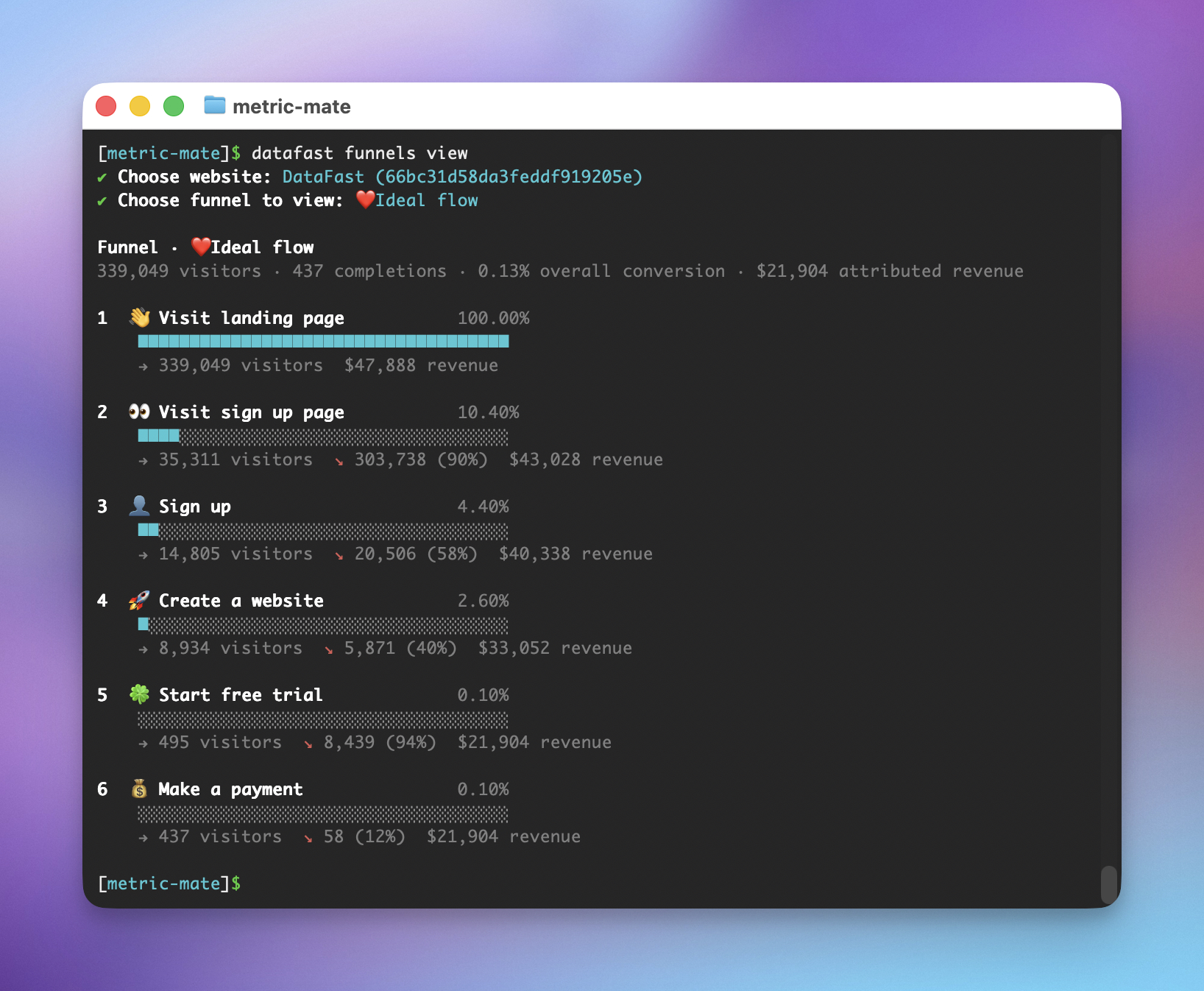
List funnels
datafast funnels
datafast funnels list
datafast funnels list <websiteId>
View funnel analytics
Print a read-only funnel report in your terminal:
datafast funnels view <websiteId> <funnelId>
datafast funnels view <websiteId> <funnelId> --period last30d
datafast funnels view <websiteId> <funnelId> --country "United States"
datafast funnels view <websiteId> <funnelId> --filter referrer=Google
funnels view shows each step, visitors, step conversion, drop-off, and attributed revenue. It accepts the same dashboard-style filters as analytics commands, including --country, --device, --referrer, --utm-source, and repeatable --filter flags.The underlying REST endpoint is GET /api/v1/analytics/funnels/{funnelId}.
Create a funnel
Run without
--steps for an interactive step builder (minimum 2 steps, maximum 8):datafast funnels create <websiteId>
Or pass steps as JSON to skip the prompts. Each step has a
name, type (pageview or goal), and either a url (for pageview steps) or a goalName (for goal steps):datafast funnels create <websiteId> --name "Checkout" --steps '[
{"name":"Visit pricing","type":"pageview","url":"/pricing"},
{"name":"Start checkout","type":"pageview","url":"/checkout"},
{"name":"Purchase","type":"goal","goalName":"purchase"}
]'
Update a funnel
# Rename
datafast funnels update <websiteId> <funnelId> --name "New name"

# Enable / disable
datafast funnels update <websiteId> <funnelId> --enable
datafast funnels update <websiteId> <funnelId> --disable
Delete a funnel
datafast funnels delete <websiteId> <funnelId>

# Skip the confirmation prompt
datafast funnels delete <websiteId> <funnelId> --yes